
Markdown notes, kept as plain files
Deft is a desktop app for writing notes in Markdown. It renders as you type, links notes to each other and saves everything as ordinary .md files in a folder you pick. Free for Mac, Windows and Linux, with no account.
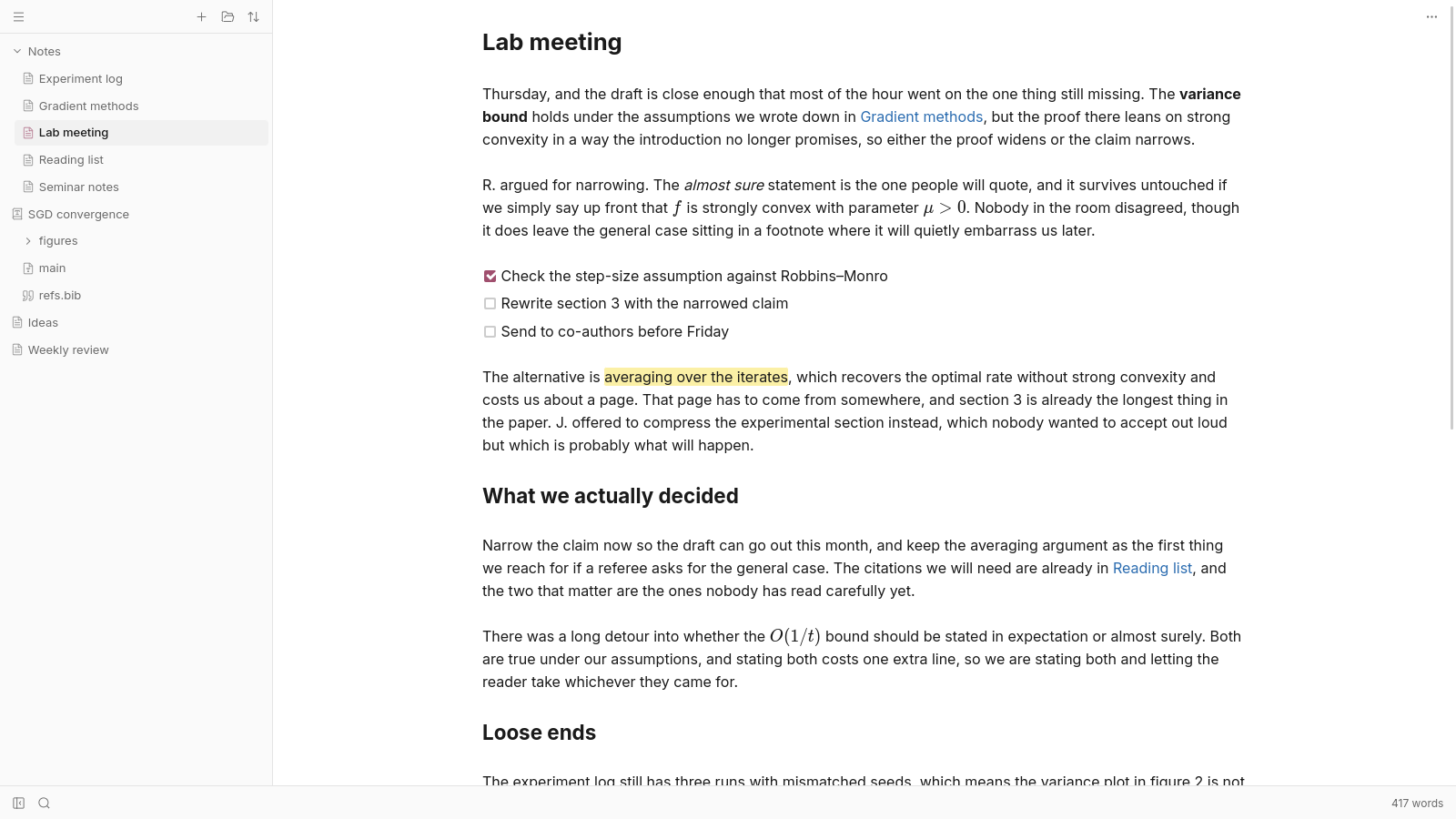
Rendered as you write
One pane, no preview beside it. Headings, emphasis, links and lists look finished as you type. The markup only shows on the line you’re editing and gets out of the way when you leave.
Never want to see it? There’s a mode that keeps markup hidden while you format from the menu or with shortcuts. Plain source is one switch away.
Markdown, in full
Tables, footnotes, task lists, highlights, math, code blocks with syntax highlighting and the HTML that Markdown allows. Frontmatter shows up as a tidy list of properties. Paste or drag in an image and it’s saved next to the note. Paste from a word processor or a web page and it arrives as Markdown.
Notes that link
Link notes with [[wiki links]] or ordinary Markdown links. Link to a note that doesn’t exist yet and Deft creates it when you follow the link. Backlinks show every note that points to the one you’re reading.
Tasks and bookmarks
Every unchecked box in the folder shows up in one panel, grouped by note. Bookmarks mark a spot down to the character and live in the text itself, so they move when the text does.
Find it again
Search goes through every note in the folder. In a long note, the outline keeps track of where you are and jumps to any heading.
Your folder, as it is
Deft works on your files where they already are. No database, no import. Open a folder of Markdown from another app and Deft reads it as it is. Stop using Deft and the files are still Markdown that anything can open.
Looks the way you want
Built-in themes come in light and dark and can follow your system as it switches. Set the accent color, font size and line height, or write your own theme in CSS.
Light on your computer
Deft uses the web view your system already has instead of shipping a whole browser. The Windows installer is 22 MB and the app starts quickly.
LaTeX when you need it
The same folder can hold your papers. Deft edits LaTeX with the same live rendering and compiles it to PDF with nothing else to install. More about LaTeX.
On every computer
Deft is free and never asks who you are. Sync is an optional add-on that keeps a folder the same on every computer, end-to-end encrypted. There’s no phone app yet.
Download Deft for Windows, macOS or Linux.